> ## Documentation Index
> Fetch the complete documentation index at: https://dripart-fix-cloud-button-text-1773163393.mintlify.site/llms.txt
> Use this file to discover all available pages before exploring further.
# 部分执行 - 允许你只运行 ComfyUI 中的部分节点
> ComfyUI 中部分执行(Partial Execution)功能的使用方法和条件
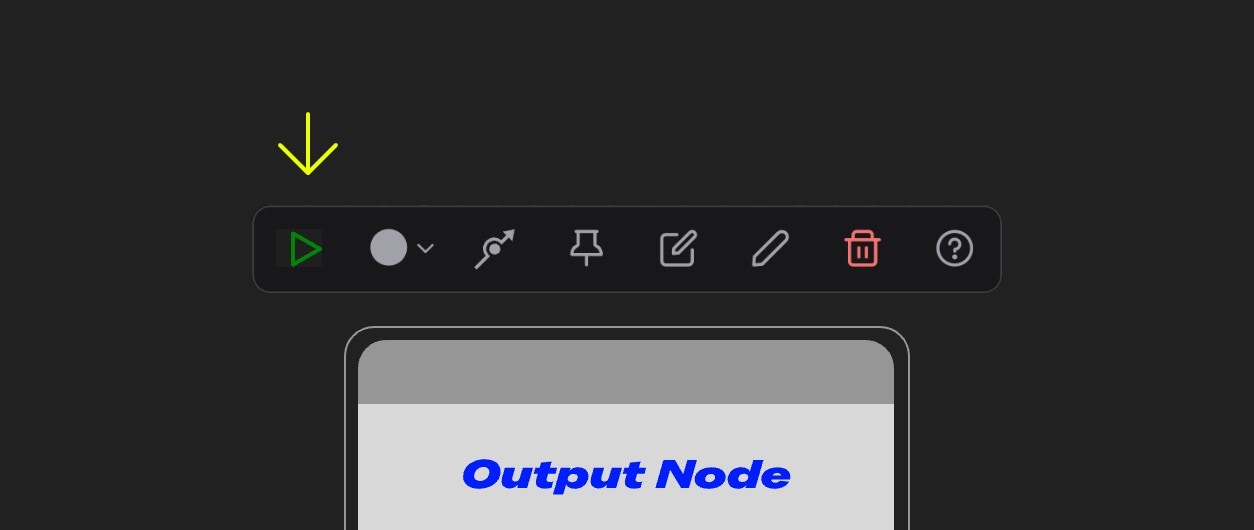 **部分执行** 功能是位于 ComfyUI 节点选择工具箱上的一个功能,它能够让你 **只运行工作流的一部分** ,而不是完整运行工作流中的所有节点,它仅在所选节点是一个 **输出节点** 时才可用,可用时会显示为绿色的三角形图标
## 什么是部分执行?
部分执行(Partial Execution),就像它字面上的意思一样,只运行工作流的一部分,而不是完整运行工作流中的所有节点
**部分执行** 功能是位于 ComfyUI 节点选择工具箱上的一个功能,它能够让你 **只运行工作流的一部分** ,而不是完整运行工作流中的所有节点,它仅在所选节点是一个 **输出节点** 时才可用,可用时会显示为绿色的三角形图标
## 什么是部分执行?
部分执行(Partial Execution),就像它字面上的意思一样,只运行工作流的一部分,而不是完整运行工作流中的所有节点
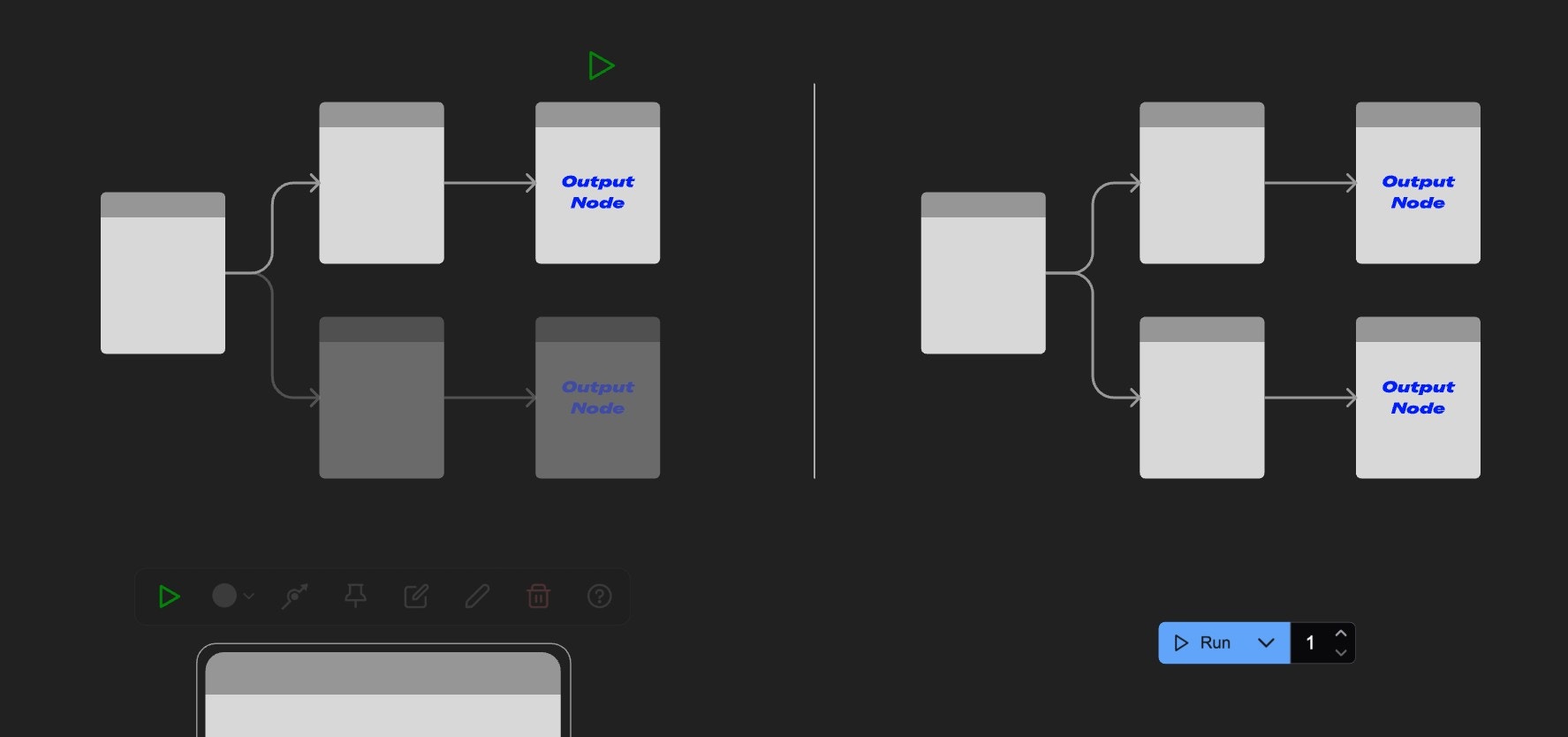 在上面的示意图中,是部分执行与运行工作流功能的对比
1. 部分执行(左侧):只运行从起始节点到输出节点分支的工作流
2. 运行工作流(右侧):运行工作流中的所有节点
这个功能能够运行你更灵活地运行工作流的特定部分,而不是每次都运行整个工作流。
## 如何使用部分执行功能?
在上面的示意图中,是部分执行与运行工作流功能的对比
1. 部分执行(左侧):只运行从起始节点到输出节点分支的工作流
2. 运行工作流(右侧):运行工作流中的所有节点
这个功能能够运行你更灵活地运行工作流的特定部分,而不是每次都运行整个工作流。
## 如何使用部分执行功能?
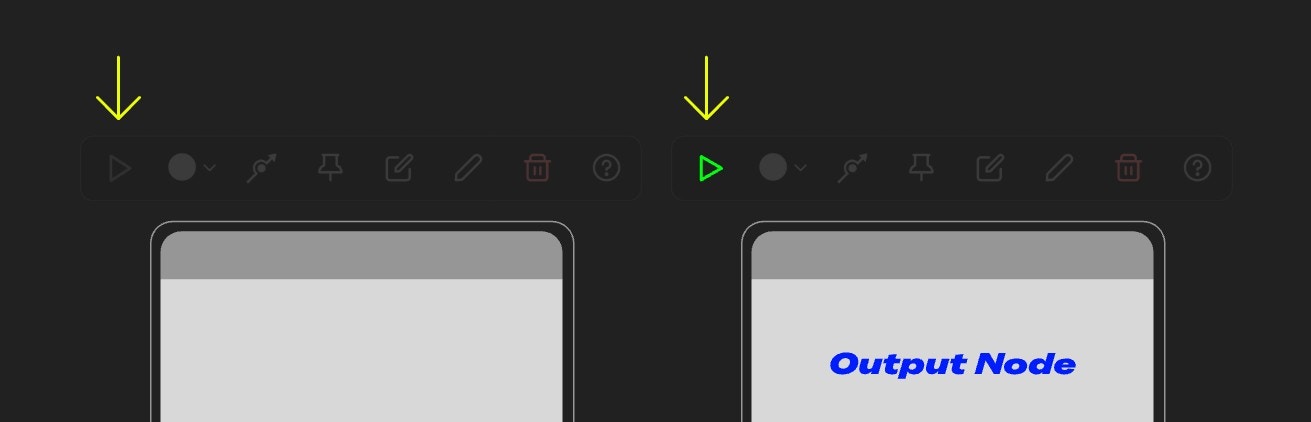 要使用部分执行功能,需要满足,当前选中的节点是一个输出节点,如保存或者预览节点,当对应的节点符合条件时,选中节点后选择工作箱上的按钮会显示为绿色三角形图标,点击该图标即可运行部分工作流
## 常见问题
Q: 为什么在使用这个功能的时候,所有节点都运行了?
A: 前确保你的 ComfyUI 前端版本是在 v1.23.4 版本之后,甚至可能需要 v1.24.x 的版本,对应的缺陷是在 1.24.x 左右版本的才修复,所以请更新你的 ComfyUI 到最新版本,确保前端版本符合要求
要使用部分执行功能,需要满足,当前选中的节点是一个输出节点,如保存或者预览节点,当对应的节点符合条件时,选中节点后选择工作箱上的按钮会显示为绿色三角形图标,点击该图标即可运行部分工作流
## 常见问题
Q: 为什么在使用这个功能的时候,所有节点都运行了?
A: 前确保你的 ComfyUI 前端版本是在 v1.23.4 版本之后,甚至可能需要 v1.24.x 的版本,对应的缺陷是在 1.24.x 左右版本的才修复,所以请更新你的 ComfyUI 到最新版本,确保前端版本符合要求