> ## Documentation Index
> Fetch the complete documentation index at: https://dripart-fix-cloud-button-text-1773163393.mintlify.site/llms.txt
> Use this file to discover all available pages before exploring further.

# 遮罩编辑器 - 在 ComfyUI 中创建和编辑遮罩

> 讲解 ComfyUI 中遮罩编辑器（Mask Editor）的使用方法，以及对应设置等

遮罩编辑器是 ComfyUI 中一个非常实用的功能，它可以帮助用户在图像中创建和编辑遮罩，而不需要在其它应用程序中进行操作。

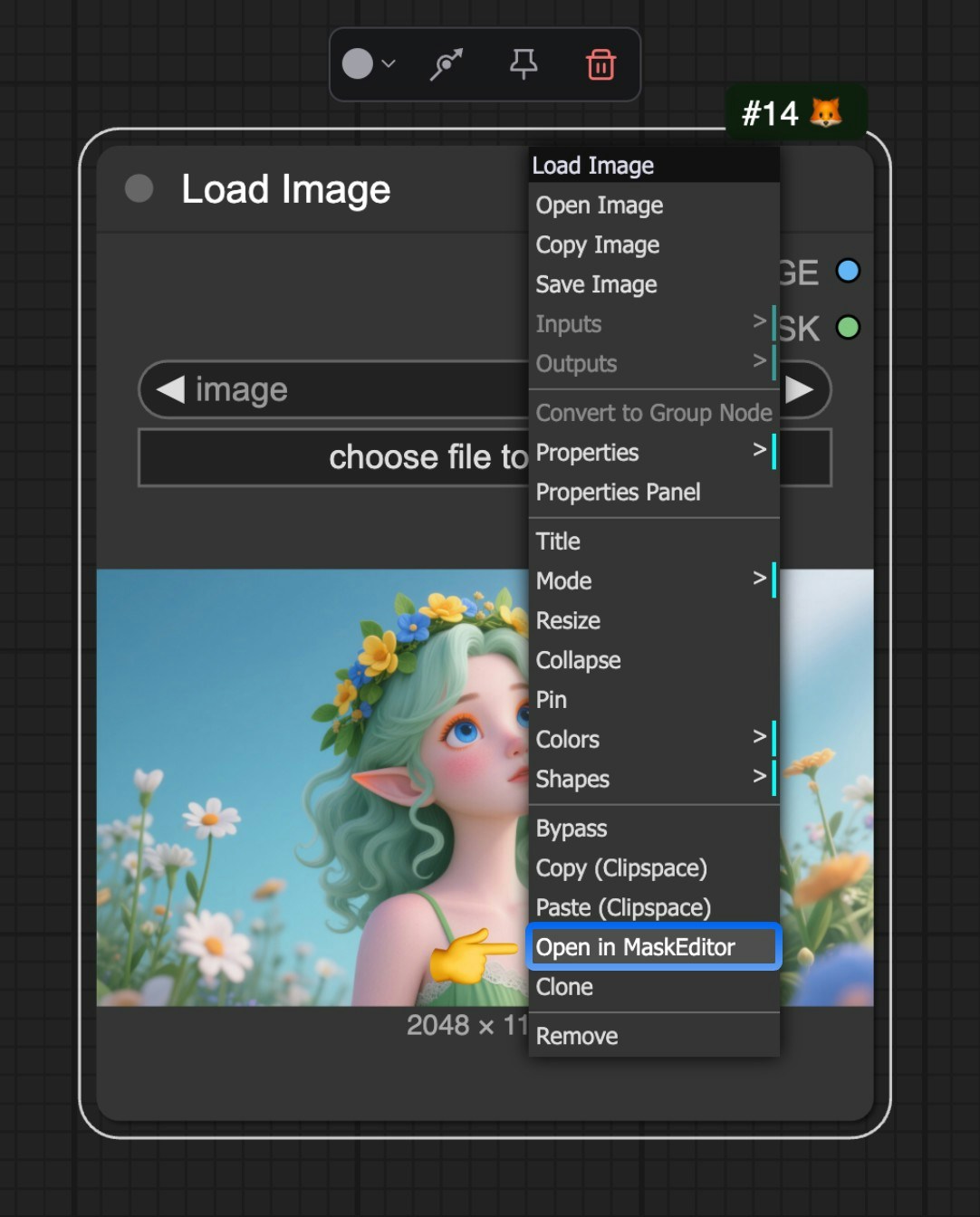
遮罩编辑器目前通过 `Load image` 节点来触发，当你上传图像后，可以在节点上右键通过菜单 `Open in MaskEditor` 来打开遮罩编辑器。

<img src="https://mintcdn.com/dripart-fix-cloud-button-text-1773163393/8LIu_2ZWu9xrlK-d/images/interface/maskeditor/maskeditor.jpg?fit=max&auto=format&n=8LIu_2ZWu9xrlK-d&q=85&s=c08c52e07f21a9f71e6996a23bbc8ae1" alt="ComfyUI 遮罩编辑器" width="1082" height="1344" data-path="images/interface/maskeditor/maskeditor.jpg" />

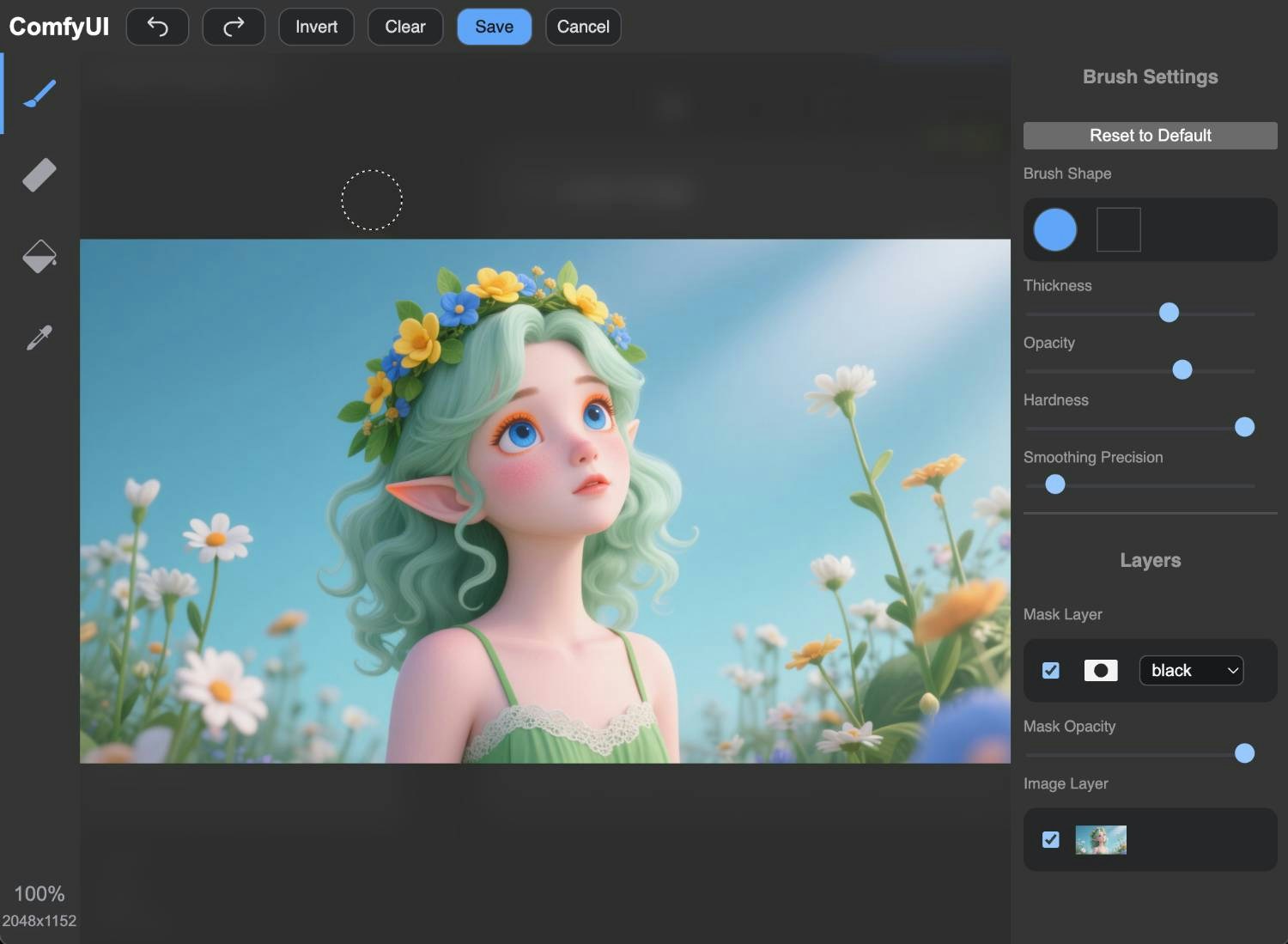
<img src="https://mintcdn.com/dripart-fix-cloud-button-text-1773163393/8LIu_2ZWu9xrlK-d/images/interface/maskeditor/maskeditor_ui.jpg?fit=max&auto=format&n=8LIu_2ZWu9xrlK-d&q=85&s=ac7d0652cbac543b9b51976344a198d4" alt="ComfyUI 遮罩编辑器" width="1500" height="1099" data-path="images/interface/maskeditor/maskeditor_ui.jpg" />

然后你就可以通过鼠标在图像上点击来创建和编辑遮罩了。

## 演示视频

<video controls>
  <source src="https://mintcdn.com/dripart-fix-cloud-button-text-1773163393/8LIu_2ZWu9xrlK-d/images/interface/maskeditor/maskeditor.mp4?fit=max&auto=format&n=8LIu_2ZWu9xrlK-d&q=85&s=0cb9ec76f657ca58d272db678699981f" type="video/mp4" data-path="images/interface/maskeditor/maskeditor.mp4" />

  你的浏览器不支持 video 标签。
</video>