

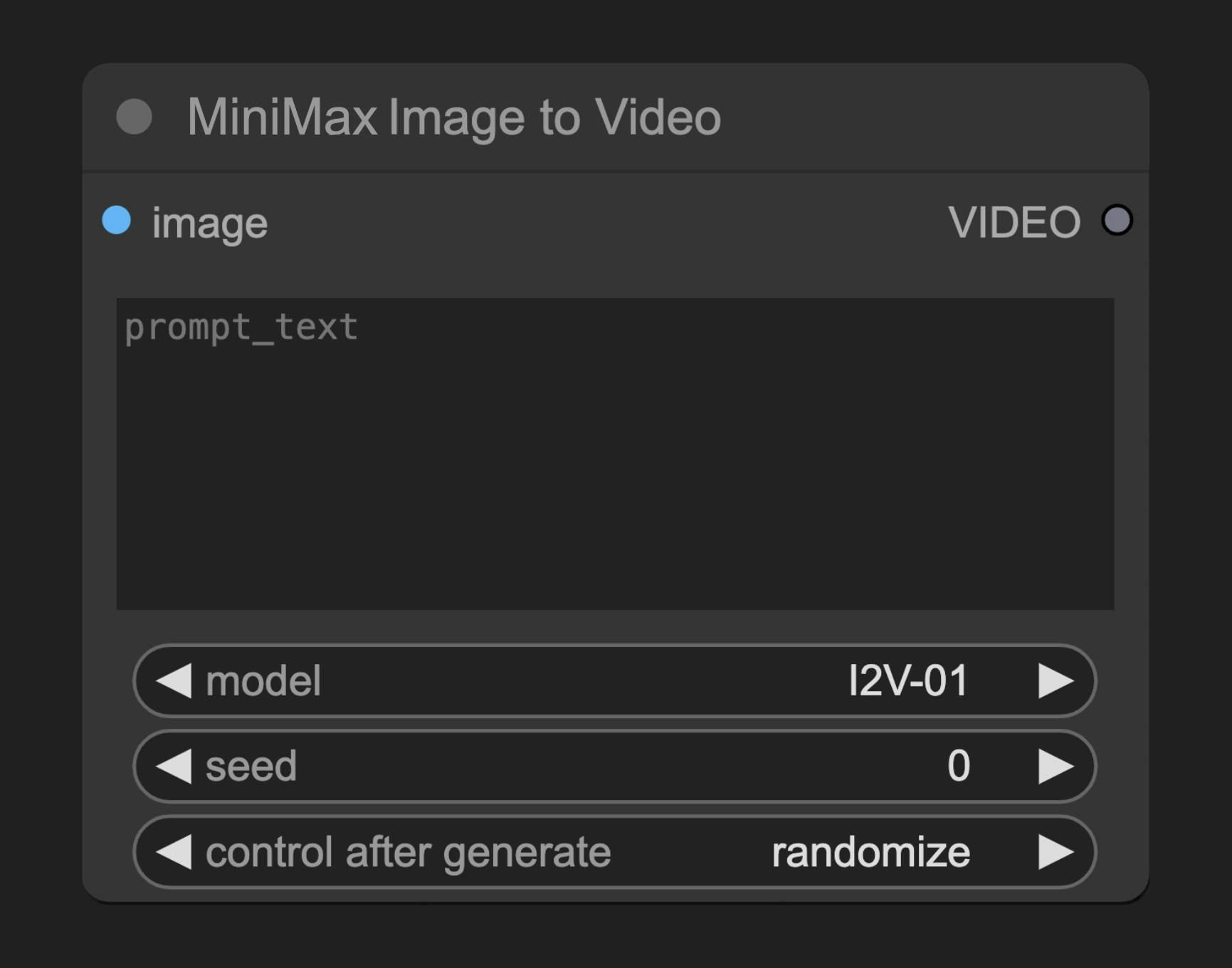
Parameters
Required Parameters
| Parameter | Type | Default | Description |
|---|---|---|---|
| image | image | - | Input image used as the first frame of video |
| prompt_text | string | "" | Text prompt to guide video generation |
| model | select | ”I2V-01” | Available models: “I2V-01-Director”, “I2V-01”, “I2V-01-live” |
Optional Parameters
| Parameter | Type | Description |
|---|---|---|
| seed | integer | Random seed for noise generation |
Output
| Output | Type | Description |
|---|---|---|
| VIDEO | video | Generated video |
Source Code
[Node source code (Updated on 2025-05-03)]
class MinimaxImageToVideoNode(MinimaxTextToVideoNode):
    """
    Generates videos synchronously based on an image and prompt, and optional parameters using Minimax's API.
    """

    @classmethod
    def INPUT_TYPES(s):
        return {
            "required": {
                "image": (
                    IO.IMAGE,
                    {
                        "tooltip": "Image to use as first frame of video generation"
                    },
                ),
                "prompt_text": (
                    "STRING",
                    {
                        "multiline": True,
                        "default": "",
                        "tooltip": "Text prompt to guide the video generation",
                    },
                ),
                "model": (
                    [
                        "I2V-01-Director",
                        "I2V-01",
                        "I2V-01-live",
                    ],
                    {
                        "default": "I2V-01",
                        "tooltip": "Model to use for video generation",
                    },
                ),
            },
            "optional": {
                "seed": (
                    IO.INT,
                    {
                        "default": 0,
                        "min": 0,
                        "max": 0xFFFFFFFFFFFFFFFF,
                        "control_after_generate": True,
                        "tooltip": "The random seed used for creating the noise.",
                    },
                ),
            },
            "hidden": {
                "auth_token": "AUTH_TOKEN_COMFY_ORG",
            },
        }

    RETURN_TYPES = ("VIDEO",)
    DESCRIPTION = "Generates videos from an image and prompts using Minimax's API"
    FUNCTION = "generate_video"
    CATEGORY = "api node/video/Minimax"
    API_NODE = True
    OUTPUT_NODE = True