

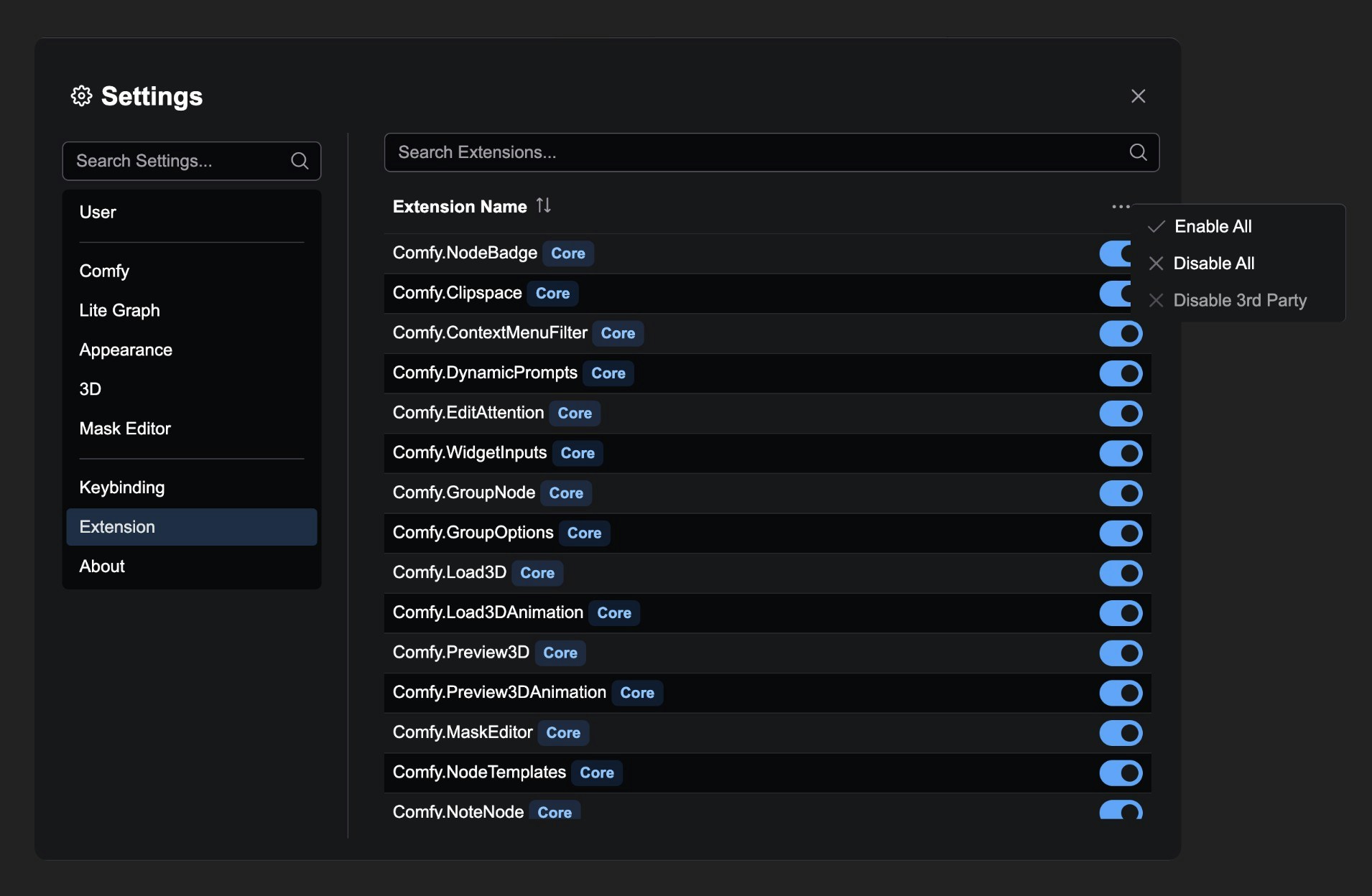
Extension Settings Panel Features
1. Extension List Management
Displays all registered extensions, including:- Extension Name
- Core extension identification (displays “Core” label)
- Enable/disable status
2. Search Functionality
Provides a search box to quickly find specific extensions:3. Enable/Disable Control
Each extension has an independent toggle switch:4. Batch Operations
Provides right-click menu for batch operations:- Enable All extensions
- Disable All extensions
- Disable 3rd Party extensions (keep core extensions)
Notes
- Extension status changes require a page reload to take effect
- Some core extensions cannot be disabled
- The system will automatically disable known problematic extensions
- Extension settings are automatically saved to the user configuration file