

- Text-to-image generation
- Image editing functionality (inpainting through masks)
Node Overview
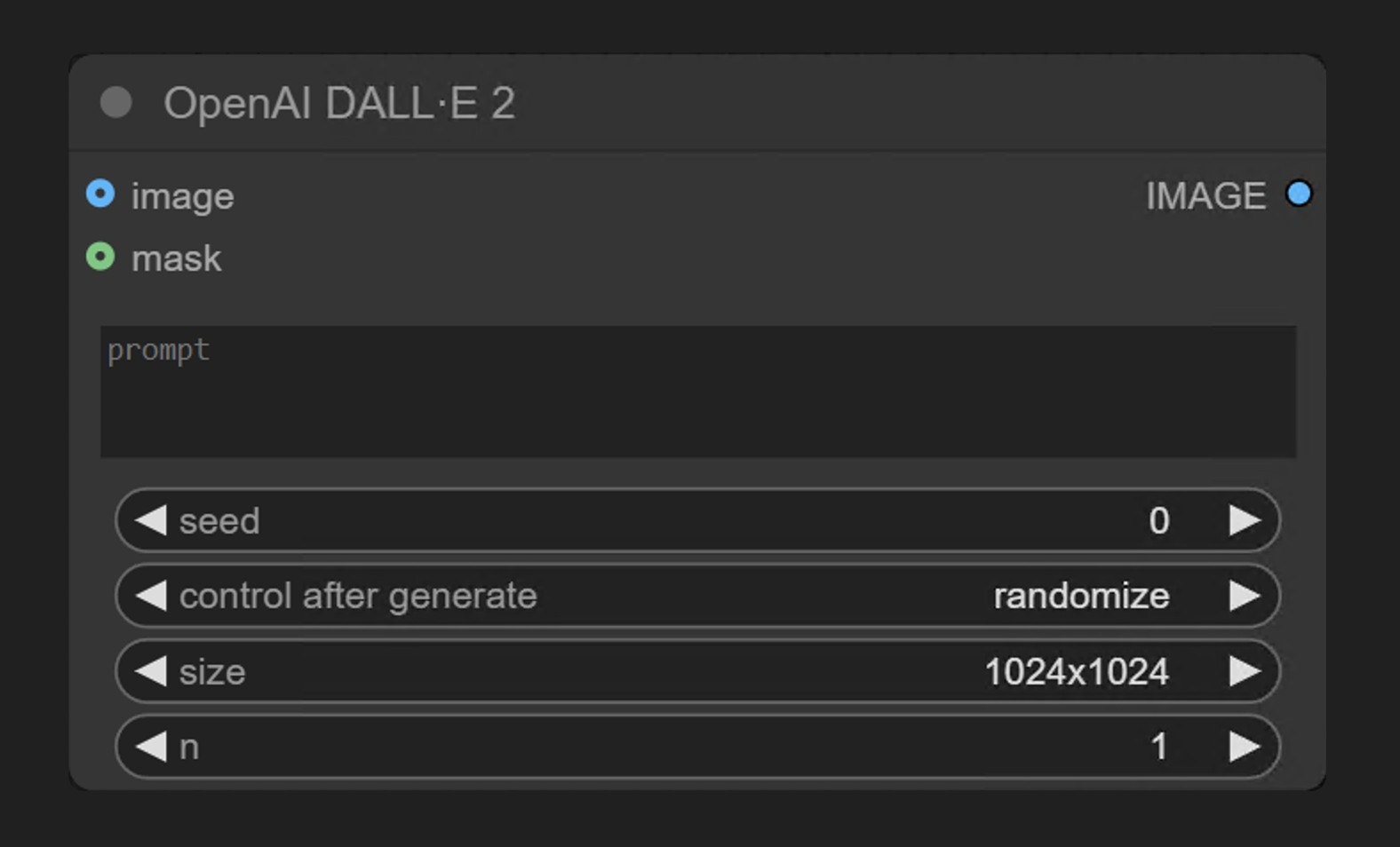
The OpenAI DALL·E 2 node generates images synchronously through OpenAI’s image generation API. It receives text prompts and returns images that match the description.Parameter Description
Required Parameters
Widget Parameters
Optional Parameters
Usage Method
Workflow Examples
This Partner node currently supports two workflows:- Text to Image
- Inpainting
Image to Image workflow is not supported
Text to Image Example
The image below contains a simple text-to-image workflow. Please download the corresponding image and drag it into ComfyUI to load the workflow. The corresponding example is very simple
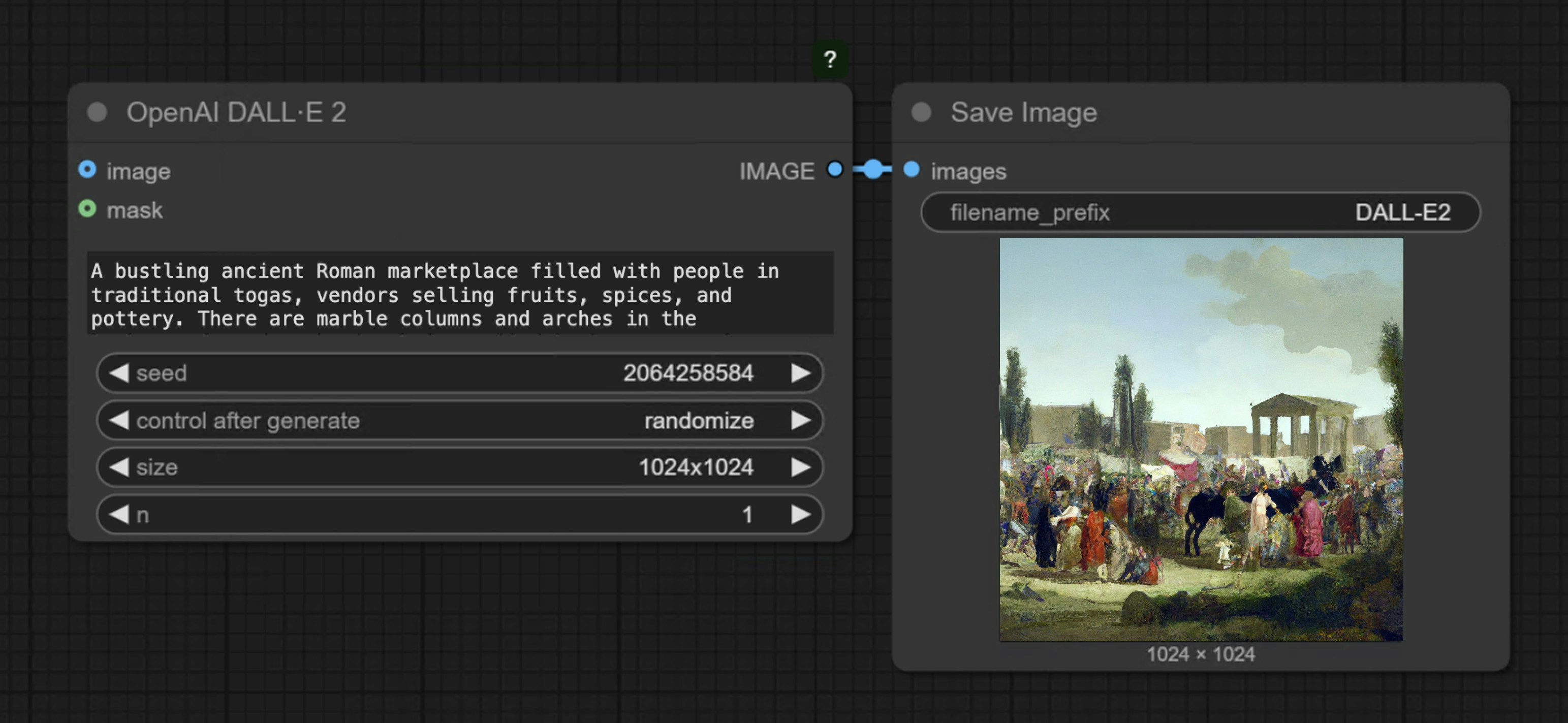
OpenAI DALL·E 2 node, input the description of the image you want to generate in the prompt node, connect a Save Image node, and then run the workflow.
Inpainting Workflow
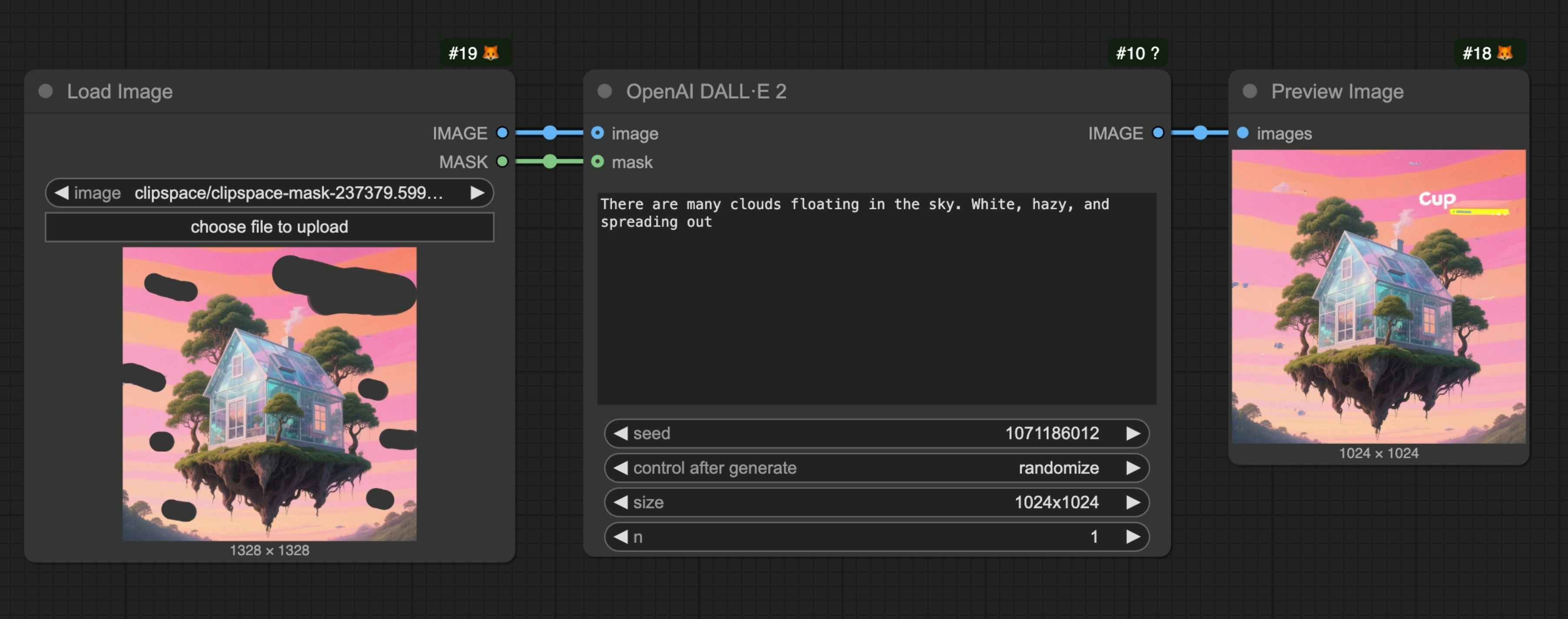
DALL·E 2 supports image editing functionality, allowing you to use a mask to specify the area to be replaced. Below is a simple inpainting workflow example:1. Workflow File Download
Download the image below and drag it into ComfyUI to load the corresponding workflow. We will use the image below as input:

2. Workflow File Usage Instructions
- Use the
Load Imagenode to load the image - Right-click on the load image node and select
MaskEditor - In the mask editor, use the brush to draw the area you want to redraw
- Connect the loaded image to the
imageinput of the OpenAI DALL·E 2 node - Connect the mask to the
maskinput of the OpenAI DALL·E 2 node - Edit the prompt in the
promptnode - Run the workflow
- If you want to use the image editing functionality, you must provide both an image and a mask (both are required)
- The mask and image must be the same size
- When inputting large images, the node will automatically resize the image to an appropriate size
- The URLs returned by the API are valid for a short period, please save the results promptly
- Each generation consumes credits, charged according to image size and quantity
FAQs
Why can't I find the API nodes?
Why can't I find the API nodes?
Please update your ComfyUI to the latest version (the latest commit or the latest desktop version).
We may add more API support in the future, and the corresponding nodes will be updated, so please keep your ComfyUI up to date.
Why can't I use / log in to the API Nodes?
Why can't I use / log in to the API Nodes?
API access requires that your current request is based on a secure network environment. The current requirements for API access are as follows:
- The local network only allows access from
127.0.0.1orlocalhost, which may mean that you cannot use the API Nodes in a ComfyUI service started with the--listenparameter in a LAN environment. - Able to access our API service normally (a proxy service may be required in some regions).
- Your account does not have enough credits.
Why can't I use API node even after logging in, or why does it keep asking me to log in while using?
Why can't I use API node even after logging in, or why does it keep asking me to log in while using?
- Currently, only
127.0.0.1orlocalhostaccess is supported. - Ensure your account has enough credits.
Can API Nodes be used for free?
Can API Nodes be used for free?
API Nodes require credits for API calls to closed-source models, so they do not support free usage.
How to purchase credits?
How to purchase credits?
Please refer to the following documentation:
- Comfy Account: Find the
Usersection in the settings menu to log in. - Credits: After logging in, the settings interface will show the credits menu. You can purchase credits in
Settings→Credits. We use a prepaid system, so there will be no unexpected charges. - Complete the payment through Stripe.
- Check if the credits have been updated. If not, try restarting or refreshing the page.
Are unused credits refundable?
Are unused credits refundable?
Currently, we do not support refunds for credits.
If you believe there is an error resulting in unused balance due to technical issues, please contact support.
Can credits go negative?
Can credits go negative?
Credits are not intended to be used as a negative balance or credit line. However, due to race conditions where partner nodes don’t always report costs before execution, a single execution may consume more credits than your remaining balance and temporarily result in a negative balance after completion. When your balance is negative, you will not be able to run Partner Nodes until you top up and restore a positive balance. Please ensure you have enough credits before making API calls.
Where can I check usage and expenses?
Where can I check usage and expenses?
Please visit the Credits menu after logging in to check the corresponding credits.
Is it possible to use my own API Key?
Is it possible to use my own API Key?
Currently, the API Nodes are still in the testing phase and do not support this feature yet, but we have considered adding it.
Do credits expire?
Do credits expire?
No, your credits do not expire.
Can I use the same account on different devices?
Can I use the same account on different devices?
We do not limit the number of devices that can log in; you can use your account anywhere you want.
How can I request for my account or information to be deleted??
How can I request for my account or information to be deleted??
Email a request to support@comfy.org and we will delete your information