

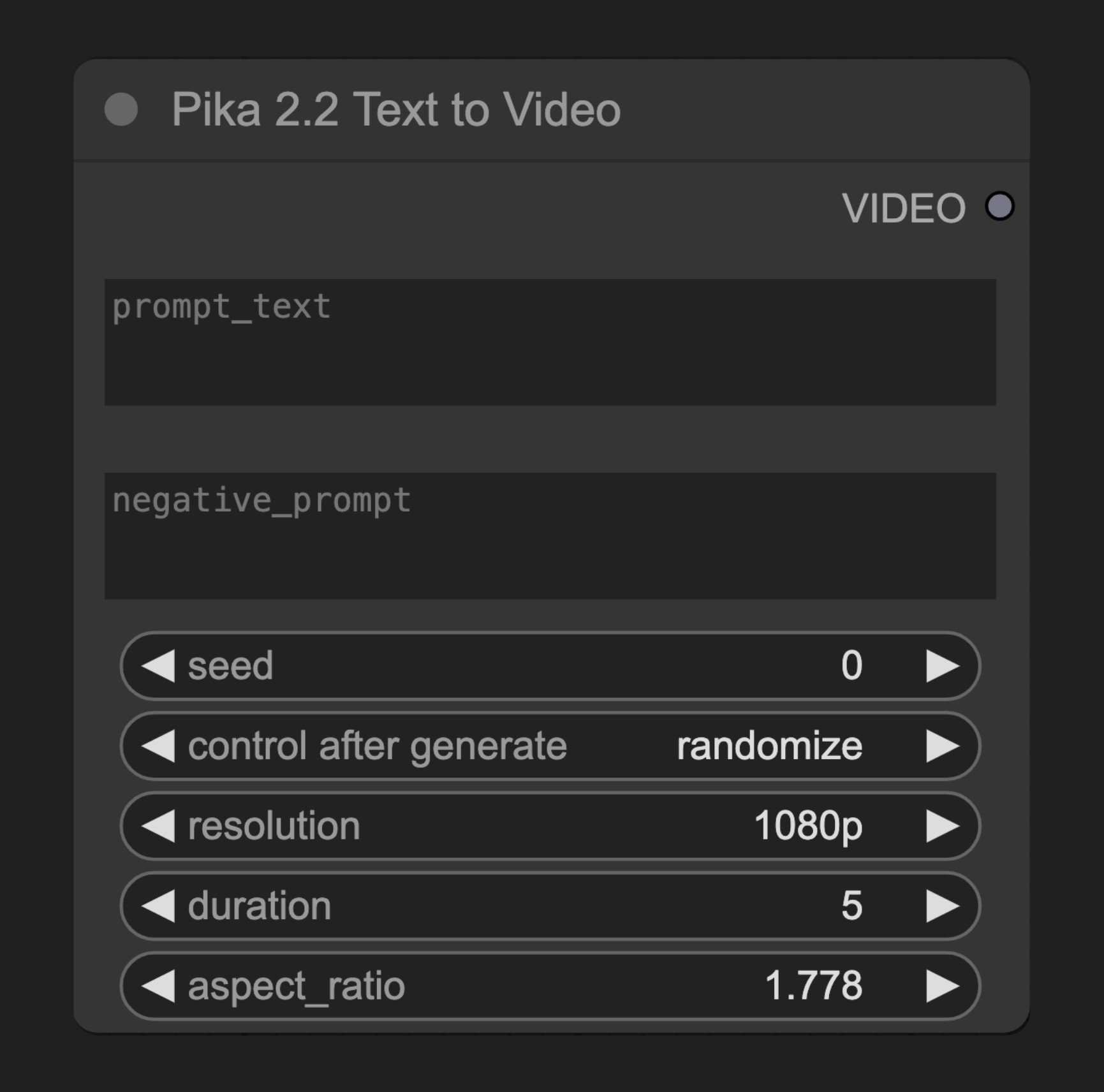
参数说明
必需参数
| 参数 | 类型 | 默认值 | 说明 |
|---|---|---|---|
| prompt_text | 字符串 | "" | 描述要生成视频内容的文本提示词 |
| negative_prompt | 字符串 | "" | 指定不希望在视频中出现的元素 |
| seed | 整数 | 0 | 生成过程的随机种子 |
| resolution | 选择项 | ”1080p” | 生成视频的分辨率 |
| duration | 选择项 | ”5s” | 生成视频的持续时间 |
| aspect_ratio | 浮点数 | 1.7777777777777777 | 输出视频的宽高比,范围0.4-2.5,步长0.001 |
输出参数
| 输出 | 类型 | 说明 |
|---|---|---|
| VIDEO | 视频 | 生成的视频结果 |
源码参考
[节点源码 (更新于2025-05-05)]
class PikaTextToVideoNodeV2_2(PikaNodeBase):
    """Pika 2.2 Text to Video Node."""

    @classmethod
    def INPUT_TYPES(cls):
        return {
            "required": {
                **cls.get_base_inputs_types(PikaBodyGenerate22T2vGenerate22T2vPost),
                "aspect_ratio": model_field_to_node_input(
                    IO.FLOAT,
                    PikaBodyGenerate22T2vGenerate22T2vPost,
                    "aspectRatio",
                    step=0.001,
                    min=0.4,
                    max=2.5,
                    default=1.7777777777777777,
                ),
            },
            "hidden": {
                "auth_token": "AUTH_TOKEN_COMFY_ORG",
            },
        }

    RETURN_TYPES = ("VIDEO",)
    DESCRIPTION = "Sends a text prompt to the Pika API v2.2 to generate a video."

    def api_call(
        self,
        prompt_text: str,
        negative_prompt: str,
        seed: int,
        resolution: str,
        duration: int,
        aspect_ratio: float,
        auth_token: Optional[str] = None,
    ) -> tuple[VideoFromFile]:
        """API call for Pika 2.2 Text to Video."""
        initial_operation = SynchronousOperation(
            endpoint=ApiEndpoint(
                path=PATH_TEXT_TO_VIDEO,
                method=HttpMethod.POST,
                request_model=PikaBodyGenerate22T2vGenerate22T2vPost,
                response_model=PikaGenerateResponse,
            ),
            request=PikaBodyGenerate22T2vGenerate22T2vPost(
                promptText=prompt_text,
                negativePrompt=negative_prompt,
                seed=seed,
                resolution=resolution,
                duration=duration,
                aspectRatio=aspect_ratio,
            ),
            auth_token=auth_token,
            content_type="application/x-www-form-urlencoded",
        )

        return self.execute_task(initial_operation, auth_token)